
Most advice on automation starts with software. A better place to start is the moment a customer is kept waiting: the enquiry nobody answered until evening, the missed call nobody returned, the quote nobody followed up.
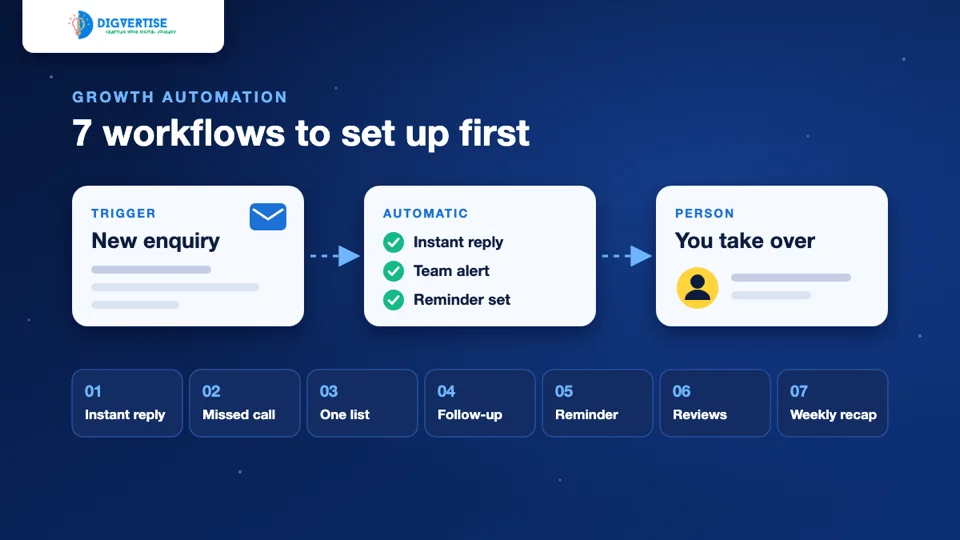
A workflow is one small rule that covers one such moment: when this happens, do that. This guide describes seven workflows that suit a small business, what each one needs and what should stay with a person. You do not need all seven. Start with the one that matches your biggest leak.
What a workflow is, and what it is not
Every workflow has three parts:
- Trigger: the event that starts it, such as a form being submitted or a job being marked complete.
- Action: what happens automatically, such as a message being sent or a row being added to a sheet.
- Handover: the point where a person takes over.
A workflow is not a chatbot that pretends to be a person, and it is not a way to message people who never asked to hear from you. If the idea is new to you, our guide to growth automation for businesses explains the bigger picture. This article stays with practical examples.
The seven workflows at a glance
| Workflow | Starts when | Happens automatically |
|---|---|---|
| 1. Instant enquiry reply | Form submitted | Reply + team alert |
| 2. Missed-call follow-up | Call missed | Call-back message |
| 3. One enquiry list | Enquiry arrives | Row added to the list |
| 4. Follow-up reminder | Quote unanswered 2 days | Reminder to the owner |
| 5. Appointment reminder | Booking confirmed | Confirm now, remind later |
| 6. Review request | Job complete | Thank-you + review link |
| 7. Weekly summary | Monday morning | Numbers in one message |
In every case a person still does the part that needs judgement: the real answer, the call back, the follow-up message and the decision about what to change.
Workflow 1: Instant reply to a new enquiry
The trigger is a form submission on your website. The customer immediately receives a short acknowledgement that says the enquiry arrived and when a person will reply. At the same moment the team gets an alert with the full details.
Keep the message honest. "We have your enquiry and will call you by 6 pm today" is useful only if somebody does call by 6 pm. The automation removes doubt and buys you a little time. It does not replace the answer.
Number to watch: how many enquiries get a human reply within your target time.
Workflow 2: Follow-up after a missed call
Small teams miss calls during meetings, site visits and lunch. The trigger is a missed call during business hours. The action is a short message such as "Sorry we missed your call. Reply here with what you need, or tell us a good time to call back."
How you set this up depends on your phone system. Some business phone services can send a message after a missed call, and the WhatsApp Business app has an away message for chats that arrive when you are unavailable. Where neither is possible, a daily habit of returning every missed call by a fixed time does the same job.
Number to watch: missed calls that were returned the same day.
Workflow 3: Every enquiry in one list
Enquiries arrive by form, phone, WhatsApp, Instagram and walk-in. When each one lives in a different place, nobody can say how many came in last week. The trigger is any new enquiry. The action is one new row in a shared sheet or CRM with the date, name, need, source and owner.
Form enquiries can usually be added automatically. Calls and walk-ins can be added by hand in a few seconds if the sheet is open on the counter phone. Add tracked links with UTM parameters to your campaigns so the source column fills itself for website visits.
This list is what makes the other workflows possible. If you are unsure where to begin, begin here.
Number to watch: enquiries with a known source.
Workflow 4: A reminder when a quote goes quiet
A quote that gets no reply is easy to forget. The trigger is a quote or proposal with no reply after a set time, for example two working days. The action is a reminder to the person who owns that enquiry, with the customer's name and what was quoted.
Notice that the reminder goes to your team, not to the customer. The follow-up itself reads better when a person writes it: one line that refers to what the customer actually asked for. Decide in advance how many follow-ups are reasonable, such as one after two days and one after a week, and then stop.
Number to watch: quotes that received at least one follow-up.
Workflow 5: Appointment confirmations and reminders
This one suits clinics, salons, coaching classes, service centres and anyone who works by appointment. The trigger is a confirmed booking. The customer gets a confirmation straight away and a reminder the day before, with the time, the place or link, and an easy way to reschedule.
The reschedule option matters as much as the reminder. A customer who can move a slot with one reply may be less likely to simply not turn up, and you get the chance to offer that slot to someone else.
Number to watch: no-shows per week.
Workflow 6: A review request after the job is done
The trigger is a job, delivery or visit being marked complete. The action is a thank-you message with a direct link to your Google review page. Google's own guidance suggests reminding customers to leave reviews with a link or QR code.
Two rules keep this honest. Ask every customer, not only the ones you expect to be happy, and never offer a discount or gift in exchange for a review. Google's Maps policy does not allow incentives for reviews or selectively asking for positive ones. Then reply to the reviews you receive, including the critical ones.
There is more on this in our guide to Google reviews and local growth.
Number to watch: new reviews per month, and how many have a reply.
Workflow 7: A weekly summary of the numbers
The trigger is a fixed time, such as Monday at 9 am. The action is one message to the owner with last week's numbers: new enquiries, where they came from, how many were answered on time and how many became customers.
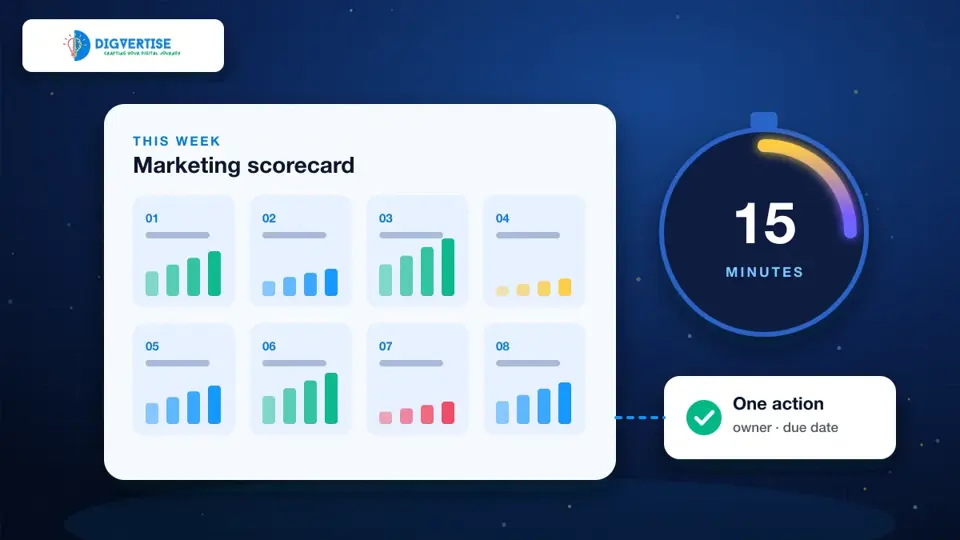
If your enquiries are already in one list (workflow 3), this summary is a simple count. It turns the list into a habit, and it gives you the starting point for the 15-minute weekly marketing review.
Number to watch: whether the review actually happens each week.
Before you message anyone: permission
Automation makes it easy to send more messages, so permission matters more, not less.
- Message people about the thing they asked about. An enquiry about a kitchen quote is not permission for festival offers.
- On WhatsApp, the Business Messaging Policy says a business may contact people only if they gave their number and opted in to receive messages, and that requests to opt out must be respected.
- Say on your form how you will contact the person, and keep a record of that consent.
- Promotional SMS in India has its own registration rules. Ask your SMS provider what applies before you send bulk messages.
- Make it easy to stop. One reply of "stop" should be enough.
Which workflow to set up first
Choose by your biggest leak, not by what looks most impressive.
| If this is happening | Start with |
|---|---|
| Enquiries wait hours for a first reply | Workflow 1: instant enquiry reply |
| Calls go unanswered and unreturned | Workflow 2: missed-call follow-up |
| Nobody knows how many enquiries came in | Workflow 3: one enquiry list |
| Quotes are sent and then forgotten | Workflow 4: follow-up reminder |
| Customers miss appointments | Workflow 5: appointment reminder |
| Happy customers rarely leave reviews | Workflow 6: review request |
| Marketing is reviewed only when something feels wrong | Workflow 7: weekly summary |
Set up one, run it for two weeks, check the number beside it, then add the next. Before you automate anything behind your website, our free website check can help you see whether the contact paths on it need attention first.
Tools you may already have
None of these workflows needs expensive software at the start.
- A website form that sends an email and an auto-reply.
- A shared spreadsheet as the enquiry list.
- The WhatsApp Business app for quick replies, greeting messages and away messages.
- Calendar reminders for follow-ups.
- Your Google Business Profile review link.
A CRM or an automation tool becomes worth it when the volume of enquiries makes the manual steps unreliable. Buy the tool to fit a workflow that already works by hand, not the other way round.
Common mistakes
- Automating a broken process. If nobody owns enquiries today, a faster alert changes little.
- Promising a response time in an auto-reply that the team cannot keep.
- Writing messages that sound like a machine pretending to be a person.
- Sending follow-ups with no stopping point.
- Setting up seven workflows at once and measuring none of them.
- Never testing. Submit your own form once a month and see what actually arrives.
An illustrative example
This example is illustrative, not a client result. A coaching institute receives admission enquiries from its website form, phone calls and Instagram. Before any change, the owner replies in the evening, some callers are never called back and nobody can say which source works.
They start with workflow 3: one sheet, one row per enquiry, with the source. Two weeks later the sheet shows that most missed enquiries are phone calls during class hours, so they add workflow 2. A month in, they add workflow 4 for parents who asked for the fee structure and then went quiet. Nothing here needed new software. The change was that every enquiry now had a place, an owner and a next step.
When to get help setting this up
If you would rather have this designed and set up for you, our growth automation service can connect enquiry forms, WhatsApp handoffs, reminders and reporting around the way your team already works. We begin by reviewing how enquiries reach you today. We do not promise results that depend on things outside the workflow, such as demand or pricing.