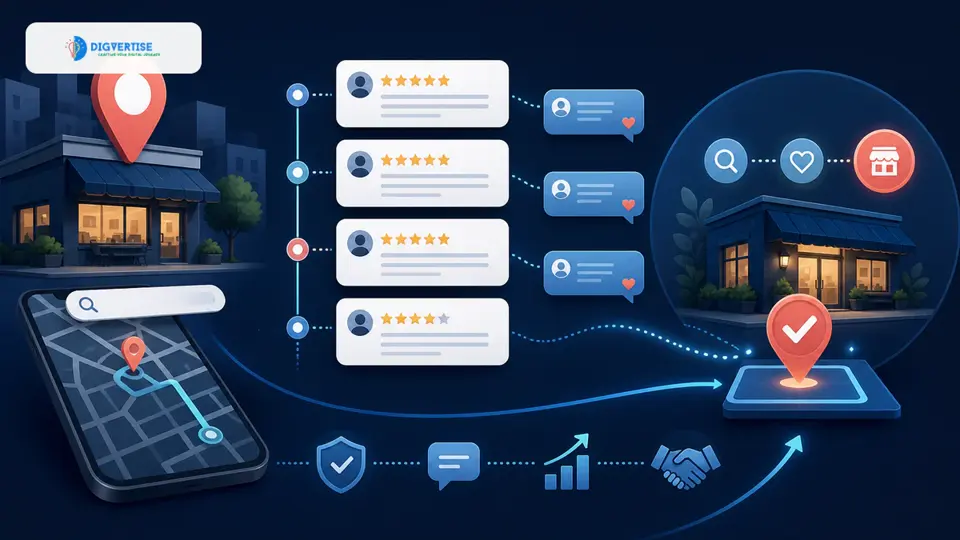

Someone near your business just typed "dentist near me" into Google. Or "best jeweller in Pune." Or "CA firm for GST filing."
Google showed them three businesses. Yours wasn't one of them.
That customer called one of the three. Booked an appointment. Spent money. And you never even knew they were looking.
This happens hundreds of times a month for local businesses with incomplete or unoptimised Google Business Profiles. The customers exist. The intent is there. The only thing missing is your visibility.
This guide will change that.
What Google Business Profile Actually Is (And Why It's Not Optional)
Google Business Profile (GBP) - previously called Google My Business - is the free listing that appears when someone searches for your business or your type of business on Google Search and Google Maps.
It's the panel that shows your business name, address, phone number, photos, hours, reviews, and directions. It's also what determines whether you appear in the "Map Pack" - the three business listings that appear above organic results for local searches.
For any business that serves a physical location - a clinic, restaurant, hotel, jewellery store, CA firm, salon, gym, or service provider - the Map Pack is one of the highest-value pieces of digital real estate you can occupy. It appears before any website. It's what people see first.
And the businesses that appear there aren't necessarily the best businesses in the area. They're the ones with the best-optimised profiles.
The Problem Most Local Businesses Have
Most business owners claim their Google Business Profile once, fill in the basics, and forget about it. Some haven't claimed it at all.
The result is a profile that looks something like this: a business name, a general category, a phone number that may or may not be current, zero photos, no reviews, and hours that haven't been updated since 2021.
Google uses that profile to judge whether you're a credible, active business worth showing to searchers. An abandoned profile signals neglect. A complete, active profile signals a thriving business.
There's another problem. Businesses often have conflicting information scattered across the internet - a different address on Justdial, an old phone number on Sulekha, a slightly different business name on Facebook. Google notices all of this. It reduces your authority and your rankings.
The good news: fixing this is entirely within your control. Open your profile next to the framework below and work through it one section at a time.
How Google Decides Who Appears in Local Results
Before diving into what to fix, you need to understand how Google thinks. Local rankings are determined by three factors:
Relevance - Does your profile match what the person is searching for? This is driven by your business category, your description, your services, and the keywords in your reviews and posts. Running a professional SEO Audit Service is highly recommended to pinpoint gap areas.
Distance - How close is your business to the person searching? You can't change your physical location, but you can influence how broadly you appear by optimising your service areas and category through Local SEO Services.
Prominence - How well-known and trusted is your business? This is determined by your reviews, your citation consistency across directories, your website authority built by professional SEO Services, and your activity on the profile.
Most businesses only think about one of these three. Optimisation means addressing all three.
The Practical Framework: 7 Pillars of GBP Optimisation
Pillar 1 - Claim and Verify Your Listing
You cannot optimise a profile you don't control. If you haven't claimed your Google Business Profile, go to business.google.com and do it now. Google will send a verification postcard to your registered address, or may offer phone or email verification depending on your business type.
If your business appears on Google but you don't own the listing, someone else (or Google itself) may have auto-generated it. Claim it.
Pillar 2 - Choose the Right Primary Category
Your primary category is the single most important ranking signal in your entire profile. It tells Google exactly what kind of business you are.
If you're a dermatologist, your primary category should be "Dermatologist" - not "Doctor" or "Health Clinic." If you run a multi-cuisine restaurant, choose the category that best describes your primary offering.
You can add secondary categories for additional services you offer. But your primary category must be precise.
Comparison: Correct vs Incorrect Category Selection
The selection of categories is critical for local prominence, as illustrated by common examples below:
- Skin clinic: Wrong: Health Clinic | Right: Dermatologist
- CA firm: Wrong: Financial Services | Right: Chartered Accountant
- Jewellery store: Wrong: Retail Store | Right: Jewellery Store
- Family restaurant: Wrong: Restaurant | Right: Indian Restaurant
- Physiotherapy clinic: Wrong: Medical Clinic | Right: Physical Therapist
- Boutique hotel: Wrong: Hotel | Right: Boutique Hotel
Pillar 3 - Complete Every Section of Your Profile
Google rewards completeness. A half-filled profile leaves ranking signals on the table. Make sure every single detail, including website links to your professional Website Design Services landing page, is fully filled out.
Here's what every business should have filled out, without exception: business name (exactly as it appears on your signage - no keyword stuffing), address, phone number, website URL, business hours, services or products list, business description, and photos.
The business description is where many businesses miss an opportunity. Write it as if you're explaining your business to a first-time customer. Include what you do, who you serve, and what makes you different. Don't stuff it with keywords. Write for the reader.
Pillar 4 - Maintain NAP Consistency
NAP stands for Name, Address, and Phone Number. Search engines cross-reference this information across directories, social media platforms, and websites to verify that your business is legitimate.
If your name appears as "Raj Dental Clinic" on Google but "Raj's Dental Care" on Justdial, and your address has a spelling difference on Facebook - these mismatches erode your local authority.
Audit every place your business is mentioned online and make your NAP identical everywhere. This includes Justdial, Sulekha, IndiaMart, Facebook, Instagram, LinkedIn, and your own website's contact page and footer.
Pillar 5 - Build Your Review Profile Actively
Reviews are the most visible trust signal on your Google listing. They also directly influence your ranking under the prominence factor. The businesses that rank well in the Map Pack almost always have more reviews than their competitors, and they respond to those reviews.
The most effective way to get reviews is simple: ask. After a successful appointment, delivery, or service, send your customer a direct link to your Google review page. Never offer incentives for reviews and never post fake reviews. Always respond to reviews - positive and negative.
Pillar 6 - Post Updates Weekly
Most businesses don't know that Google Business Profile has a "Posts" feature - similar to a social media post that appears directly on your listing. You can use posts to share offers, new services, events, seasonal updates, or tips relevant to your customers. Each post keeps your profile active.
Pillar 7 - Add High-Quality Photos and Videos
Real, recent photos give people a reason to trust the profile and act on it. Add photos of your exterior, interior, team, and products regularly. Stock photos on a Google Business Profile are a credibility killer.
Before continuing, check where your business stands: compare your profile with the steps below, and open the Website Growth Analyzer if you also want a first view of your website's health.
Illustrative Example - Not a Real Client
Imagine a mid-sized physiotherapy clinic in Pune with a Google Business Profile that's been sitting untouched for two years. They have a basic listing: name, address, phone number, one photo, no reviews, and their primary category is set to "Medical Clinic."
After working through the framework above - correcting their category to "Physical Therapist," filling out their services list, adding 15 photos, fixing their NAP across 12 directories, responding to the 3 reviews they had, and beginning a weekly post schedule - their profile changes significantly.
Over the following months, a profile like this has a much better chance of appearing in the Map Pack for searches such as "physiotherapy near me" and "physiotherapy for back pain Pune." The profile hasn't changed what the clinic does. It has changed how clearly Google can understand and present it. Rankings still depend on distance, competition and reviews.
Optimisation Checklist
- ✓Use this checklist to audit your Google Business Profile right now:
- ✓Profile is claimed and verified with current ownership
- ✓Primary category is the most specific and accurate one available
- ✓Business name matches your real-world signage exactly (no added keywords)
- ✓Address is complete, accurate, and consistent with all directories
- ✓Phone number is active and correct
- ✓Website URL links to a relevant, functional page
- ✓Business hours are accurate and updated for public holidays
- ✓Business description uses all available characters and describes your services clearly
- ✓All services or products are listed individually
- ✓Profile has at least 10 quality photos covering exterior, interior, team, and work
- ✓NAP is consistent across Justdial, Sulekha, Facebook, Instagram, and your website
- ✓You have a process to ask customers for reviews after each engagement
- ✓All existing reviews have been responded to
- ✓At least one post published in the last 7 days
- ✓Q&A section has been reviewed and answered
Common Mistakes That Cost Local Businesses Rankings
Using the wrong business name. Some businesses add keywords to their name. This violates Google's guidelines and can result in your listing being suspended.
Ignoring negative reviews. A business with 4.2 stars that responds to every negative review professionally often converts better than a business with 4.6 stars that has never replied to anyone. Silence looks like indifference.
Setting a service area instead of a location. If you have a physical premises that customers visit, set a precise address. Service areas are for businesses that travel to customers.
Letting the profile go dormant. Google considers profile activity as a signal of business health.
Using the same photos everyone else uses. Stock photos on a Google Business Profile are a credibility killer. Use real photos of your real space, your real team, and your real work.
Not linking to the right page. Link to a location-specific landing page wherever possible.
Conclusion
Your Google Business Profile is often the first interaction a potential customer has with your business. The seven pillars in this guide - verification, category selection, complete metadata, NAP consistency, review management, regular posts, and quality photos - aren't complicated. They require attention and consistency.