
Ask three providers what a business website costs and you may get three very different numbers. Often none of them is wrong. They are quoting for different things: one for a single page built on a template, another for a custom site with bookings and payments, a third for the site plus a year of updates.
This guide does not give you one price, because a fair price depends on what you need. It breaks a website into the parts you pay for, explains what makes each part cost more or less, and gives you questions to compare quotes like for like.
One-time costs and running costs
Every website has two kinds of cost. One-time costs pay for planning, designing and building the site. Running costs are paid every year to keep it online, secure and up to date. Many disappointments start when a quote shows only the first kind.
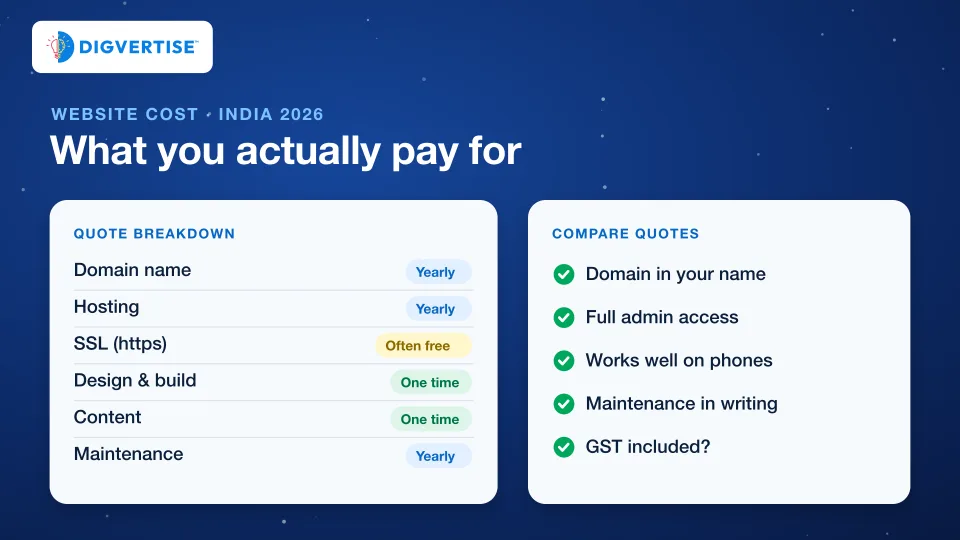
| Item | When you pay | What decides the price |
|---|---|---|
| Domain name | Every year | The ending you choose (.in, .com and others) and the registrar |
| Hosting | Monthly or yearly | Shared or cloud server, storage, backups and support |
| SSL certificate (https) | Often included | Many hosts set up a free certificate; paid ones add extras |
| Design and build | One time | Number of page types, template or custom design, features |
| Content | One time, then as needed | Who writes the text, who provides photos, how many languages |
| Features and integrations | One time, some with fees | Forms, booking, payments, WhatsApp, CRM, multiple languages |
| Maintenance | Monthly or yearly | Updates, backups, security checks and small edits included |
Domain, hosting and SSL: the running basics
Domain name. This is your address, such as yourbusiness.in. You rent it year by year, and the renewal price can be higher than the first-year offer, so check both. Domains ending in .in are managed by the .IN Registry and sold through accredited registrars.
The domain should be registered in your business’s name, in an account you control. If a provider registers it in their own account, moving away later can be slow and stressful, and your email may depend on it too.
Hosting. This is the server that stores and delivers your site. A small business site usually runs well on good shared or cloud hosting. Look at the renewal price, the backup policy and how quickly support responds, not only the first-year discount.
SSL certificate. This gives your address the padlock and https. Free certificates are widely available: Let’s Encrypt, a non-profit certificate authority, issues them at no cost, and many hosts install them automatically. A small business site rarely needs to pay extra for a basic certificate.
Design and build: the biggest variable
The one-time build cost depends less on the number of pages and more on how many different page types you need and how much is designed from scratch.
- Template-based site: a ready design adapted with your logo, colours and content. Faster and cheaper, and fine for many small businesses, as long as it loads quickly and works well on phones.
- Custom design: layouts designed around your business and customers. It costs more, but can explain your services better and set you apart from competitors.
- Page types: a home page, a service page, a contact page and a blog post are four types. Ten service pages that share one layout usually cost much less than ten pages that each need their own design.
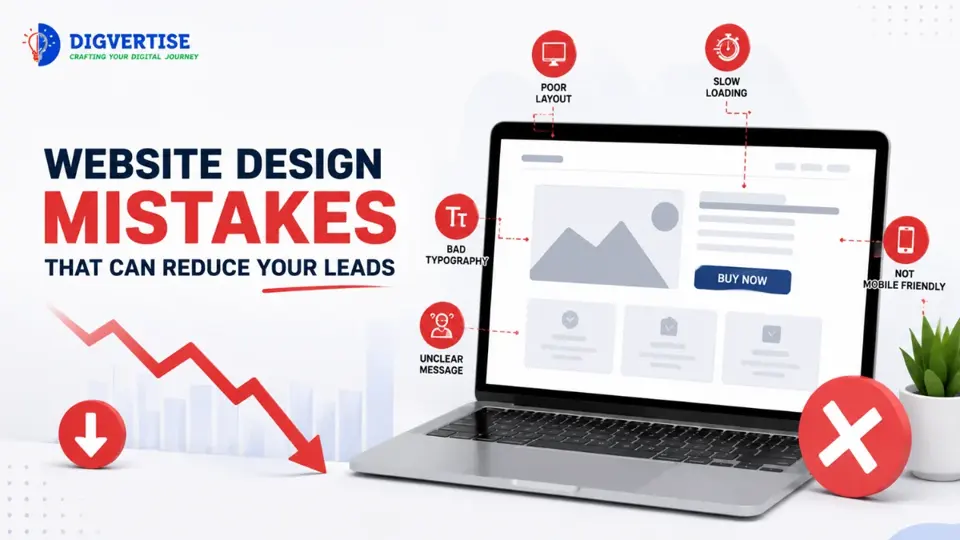
Most customers will see your site on a phone, and Google uses the mobile version of a site’s content for indexing and ranking. A site that looks good only on a laptop is not finished. Ask to see the design on a phone before you approve it.
Features that add cost
Features are where quotes differ most, because each one means extra building and testing, and sometimes a monthly fee to another company.
- Enquiry forms that reach the right inbox, send an acknowledgement and do not lose leads to spam filters.
- WhatsApp and call buttons that work on every page.
- Appointment booking, often through a booking tool with its own subscription.
- Online payments, which need a payment gateway. Gateways usually charge a fee on each transaction; Razorpay, for example, publishes its standard rates on its pricing page. Check current rates for the payment methods your customers use.
- Multiple languages, which multiply content work and testing.
- Integrations with a CRM, accounting software or a sheet that collects every enquiry.
Before you pay for a feature, ask what job it does for your customers. A booking system helps a clinic. It may add little for a wholesaler who closes deals on the phone.
Content: the cost most quotes leave out
A website is only as useful as what it says. Clear service descriptions, prices or price ranges where you can share them, real photos and answers to common questions decide whether a visitor contacts you.
Many quotes assume you will supply the text and photos, and many projects stall waiting for them. Ask who writes the text, who takes or chooses the photos, and whether page titles and descriptions for search are included. If you write the content yourself, budget your own time for it.
Maintenance after launch
A site is never truly finished. Software needs updates, forms need checking, and your offers and prices change. Maintenance can be a monthly plan, a yearly plan or pay per change. Whichever you choose, get it in writing:
- How often the site is backed up, and where the backups are kept.
- Who applies security updates, and how quickly.
- How many small edits are included each month.
- Who checks that forms, call and WhatsApp buttons still work.
A site without maintenance can work for months and then fail quietly: a broken form may lose enquiries for weeks before anyone notices. Our guide on website traffic with no enquiries shows how to spot this.
How to compare website quotes
Put every quote into the same list and ask each provider the same questions. A slightly higher quote that answers all of them clearly is often the better deal.
| Ask | Why it matters |
|---|---|
| Will the domain and hosting be in our name? | You can change providers later without losing your address |
| Will we get full admin access? | You are not locked in for every small edit |
| Which pages and features are included? | A total means little without a page and feature list |
| Who writes the content and supplies photos? | Content is the most common hidden cost and delay |
| How will the site work on phones? | Most visitors arrive on a phone |
| What does maintenance include, at what price? | Running costs continue every year |
| Is GST included in the price? | Avoids a surprise on the final invoice |
| What is the timeline, and what do you need from us? | Most delays come from missing inputs |
Warning signs in a website quote
- “Lifetime free hosting” or “free domain forever”. Someone pays for these every year. Find out who, and what happens when they stop.
- The domain registered in the provider’s name. Ask for it to be in yours from day one.
- Guaranteed Google rankings. Google’s own advice is that no one can guarantee a #1 ranking on Google.
- No written scope. If pages, features and the number of revisions are not written down, disagreements are likely later.
- No handover. At the end you should receive the logins, a list of tools used and a way to reach your backups.
A sensible way to start
If the budget is tight, start with fewer pages done well: a clear home page, one page for each main service, a contact page with a working form and WhatsApp button, and an accurate Google Business Profile. Add a blog, booking or payments when there is a clear reason. A small site that answers customer questions can bring more enquiries than a large site that does not.
If you already have a site, a quick check of what slows visitors down can show whether you need a rebuild or only fixes. That is often the cheapest decision of all. Our guide to a high-converting service website lists what to check first.